DTI Support Agent Chat Widget CDN

An intelligent chat interface that connects our team directly to our codebase through n8n workflows. Get instant, context-aware answers from our systems with a beautiful, modern interface.

What is it?

Our Internal Knowledge Assistant

DTI Chat Widget CDN is a lightweight chat interface that connects our team directly to our backend systems. Powered by n8n workflow automation, it provides real-time, intelligent responses by accessing our codebase, documentation, and business logic. Every conversation is context-aware, ensuring our team gets accurate, relevant answers instantly without searching through files or documentation.
See it in action

Flexible Display Modes

Adapts seamlessly to our team's preferences with multiple view options

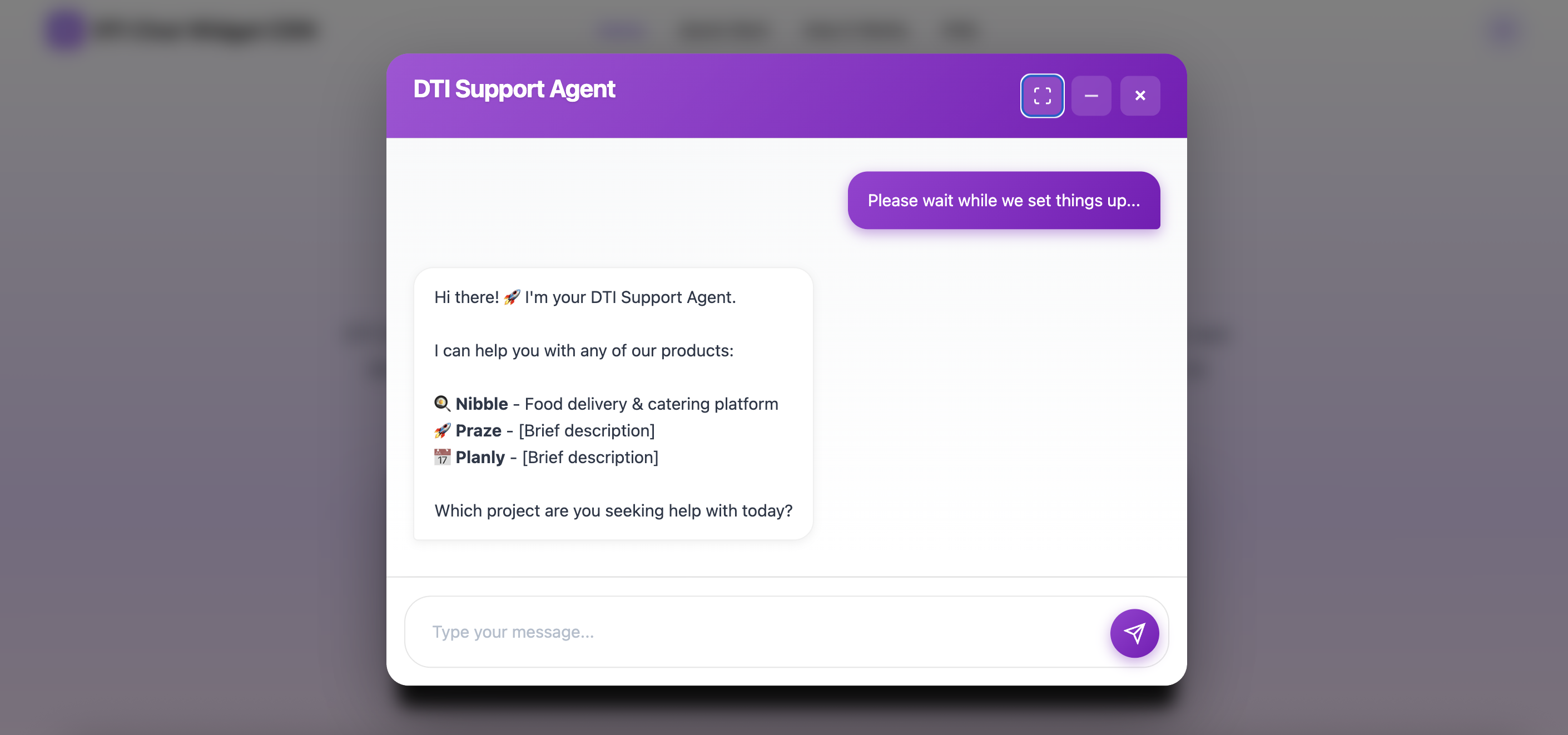
Chat Widget - Extended Full Screen Mode

Extended or Full Screen Mode

Maximize the conversation experience with a full-featured interface that gives our team plenty of space for detailed technical queries and responses.

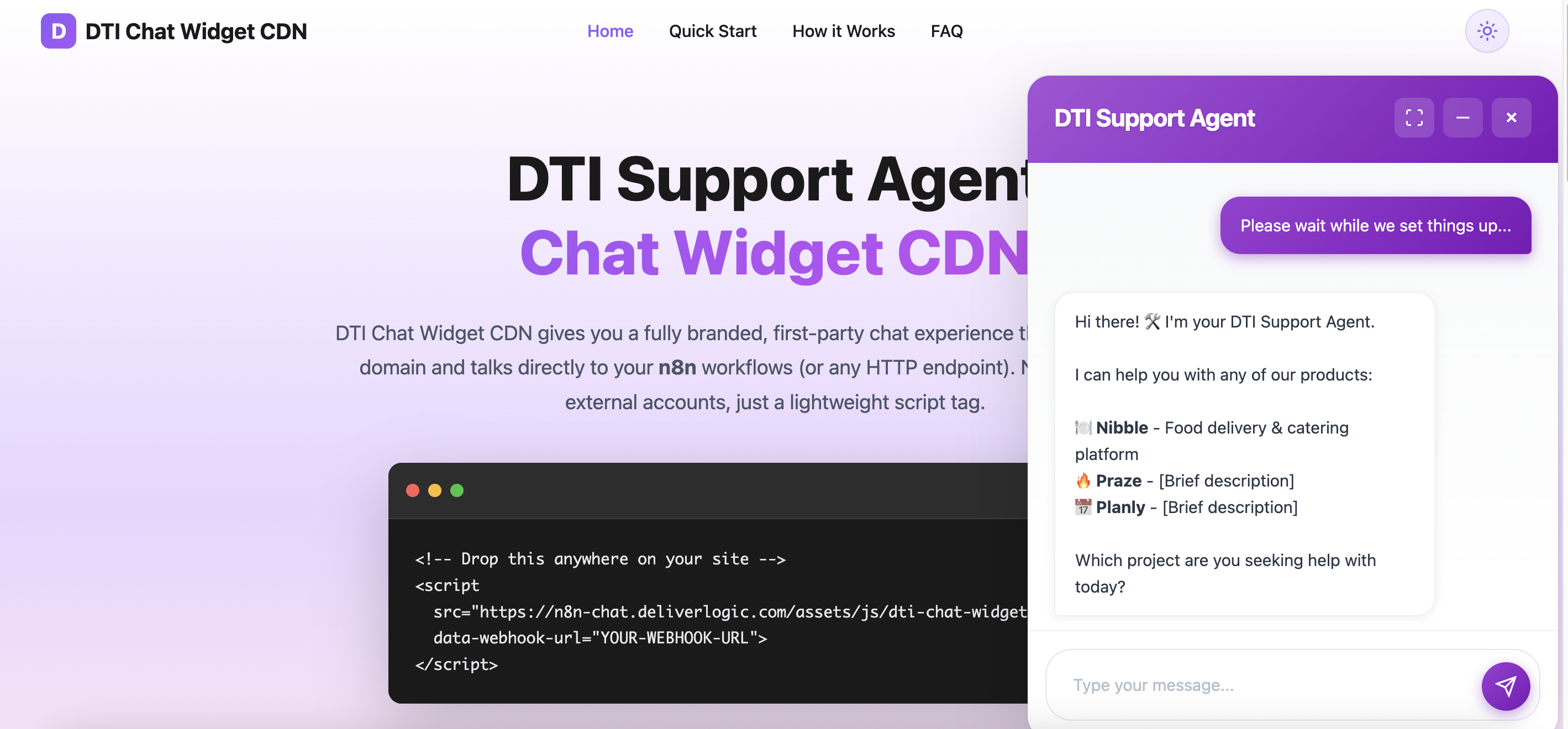
Chat Widget - Side Panel Minimal Mode

Side Panel or Minimal Mode

Compact view that stays out of the way while keeping our team's conversations accessible and easy to manage during development work.

Features

Everything our team needs, built right in

Powerful features designed to help our team access information quickly, delivering a seamless chat experience without the complexity.

Zero Build Tools

One line of HTML. No bundler, no npm, no framework. Easy to deploy and maintain.

Session Persistence

Our conversations stored locally. Team members can refresh or close without losing their query context.

Modern UI

Beautiful gradient-driven interface. Dark mode ready. Works on any device our team uses.

How it works

Seamless Integration with Our Systems

When a team member sends a message through the chat widget, it's instantly transmitted to our n8n workflow. The workflow connects to our codebase, databases, or any backend system we need—retrieving relevant information, executing logic, and gathering context. The workflow then returns a structured JSON response containing the answer, which the widget intelligently displays in a conversational format. This architecture ensures our team has access to real-time data and can get accurate, personalized answers based on our actual systems without manually searching through code or documentation.

Frequently Asked Questions

Everything our team needs to know about our internal knowledge assistant

Instead of searching through code files, documentation, or asking colleagues, our team can simply ask questions in natural language. The widget connects directly to our backend systems through n8n workflows, pulling answers from our actual codebase, databases, and business logic—saving time and reducing interruptions.

The widget sends team member queries to our configured n8n workflow. This workflow can execute code, query our databases, access APIs, read our documentation, or interact with any system we have. The workflow processes the request and returns a structured JSON response that the widget displays conversationally.

Conversations are stored locally in each team member's browser using localStorage, ensuring privacy and persistence. Each message sent to our n8n workflow includes the full conversation context, allowing our backend to maintain stateful, intelligent conversations without requiring a separate session database.

The widget processes JSON responses from our n8n workflow and can display text answers, formatted content, code snippets, and structured data. We can customize the response format to match our needs, from simple text answers about API endpoints to complex, multi-part technical explanations.

Yes, the widget is fully responsive and adapts seamlessly to any screen size. It features two display modes: an extended full-screen mode for team members working on desktops who want more space, and a compact side panel mode for those on mobile devices or who prefer a minimal interface.

The widget is built with vanilla JavaScript and requires no frameworks, build tools, or dependencies. It works in all modern browsers and communicates with our backend via standard HTTP requests. We only need our n8n instance configured to receive and respond to chat messages from our team.